Magyar Sign in
Quokay™A Logwood product

Fast. Professional. Anywhere.

Describe the job.
Send the quote.

Type or dictate a few lines about the work, the way you'd say it to a mate on site. Quokay turns it into a clean, itemized quote with local currency and tax, ready to send before you're back in the van.

We're opening Quokay to the first tradespeople soon. Write to us and we'll send you an invite.

A tradesman in a navy Quokay jacket and a café owner in an apron, smiling at a tablet and a phone Quotes on the go. Approved $407.94 · Wally Wombat
AI-generated illustration

From your notes to a quote

Your notes

Replace leaking kitchen faucet for Wally Wombat in Austin, TX. Single-handle faucet about $145, new supply lines, 2 hrs labor at $95/hr, haul away the old unit.

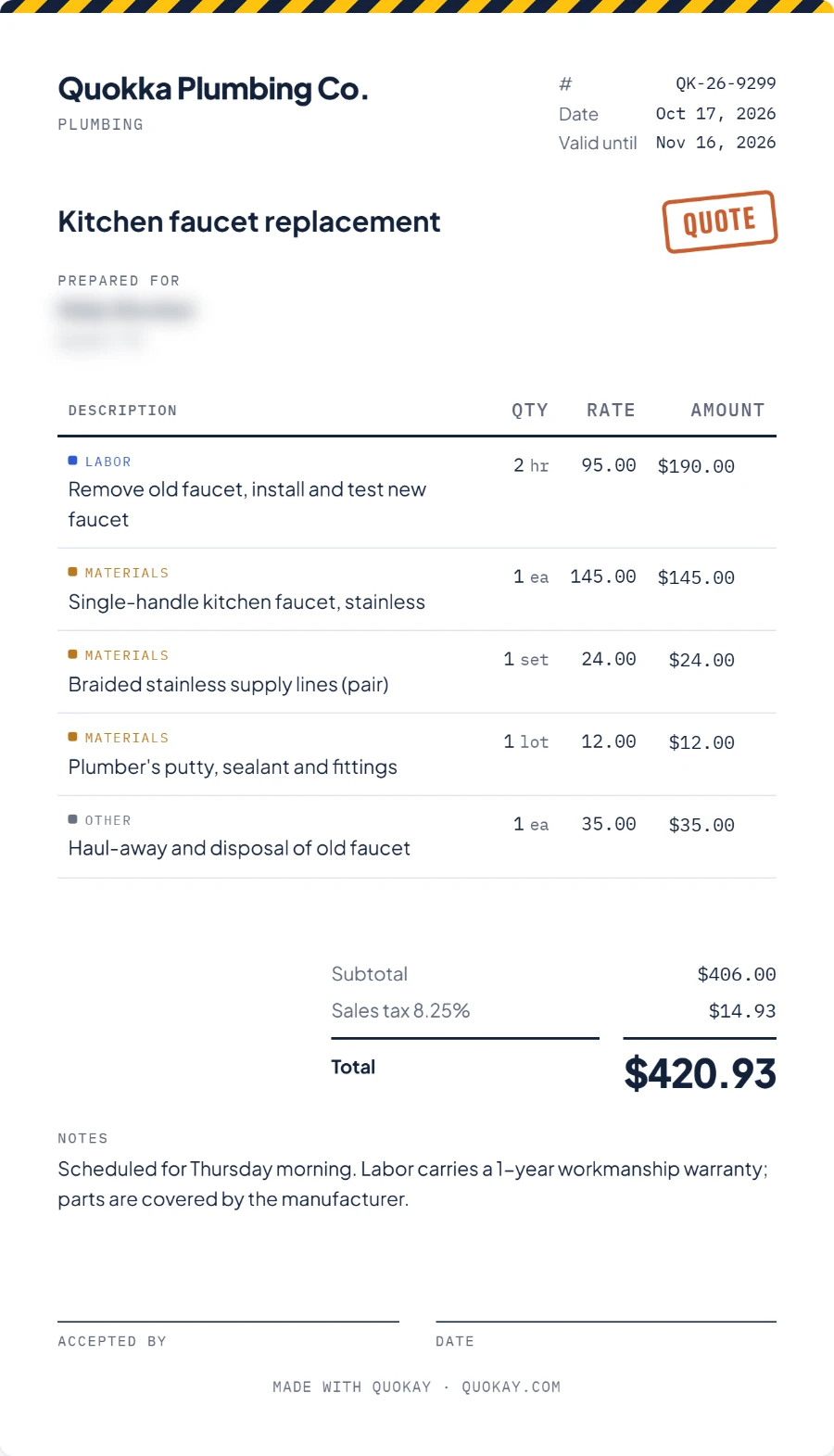
Quokka Plumbing Co.
Plumbing
#
QK-26-0042
Date
Oct 3, 2026

Kitchen faucet replacement

Quote
Prepared forWally WombatAustin, TX
DescriptionQtyRateAmount
LaborRemove old faucet, install and test new faucet2hr95$190.00
MaterialsSingle-handle kitchen faucet1ea145$145.00
MaterialsBraided supply lines (pair)1set24$24.00
OtherHaul-away of old faucet1ea35$35.00
Subtotal
$394.00
Sales tax 8.25%
$13.94
Total
$407.94

Who is Quokay for?

Anyone who quotes for work: on site, behind the counter or on the move.

A smiling tradesman in a navy Quokay jacket tapping a tablet

Trades

Electricians, plumbers, HVAC, painters, tilers, carpenters, movers, gardeners: everyone who sizes up the job on site.

A smiling café owner in a navy apron reading her phone

Services and small businesses

Cafés and events, beauty salons, tutoring, IT services: wherever you put together a package or a custom offer.

AI-generated illustration

How it works

Talk. Check. Send. Sign. Done.

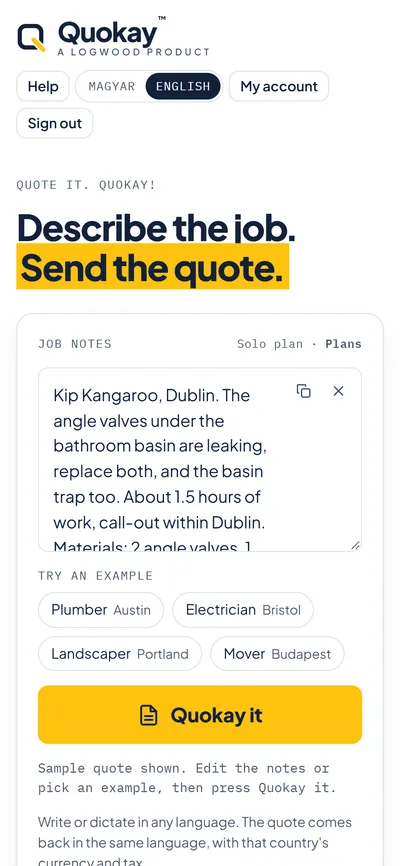
  1. A phone showing the job notes typed in and the Quokay it button

    1Talk

    Type or dictate the job in “Job notes”, then press “Quokay it”.

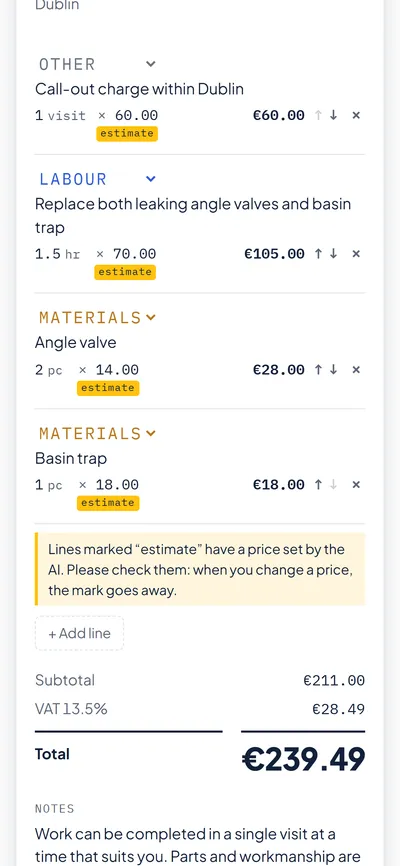
  2. A phone showing the finished quote: labor, materials, call-out, VAT and the total

    2Check

    Your itemized quote appears in seconds. Tap any line to change it.

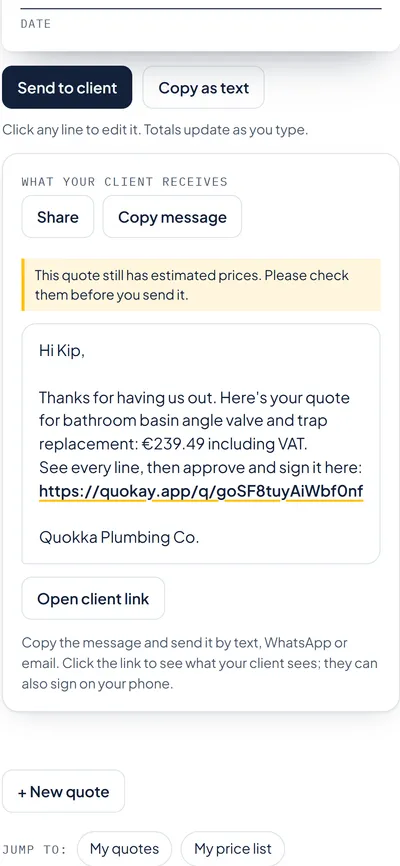
  3. A phone showing the message to the client with the link to the quote

    3Send

    “Send to client”, then “Copy message”: text, WhatsApp or email.

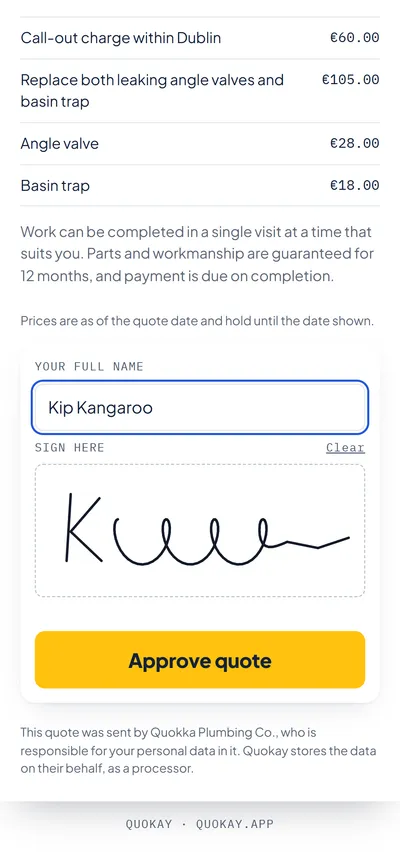
  4. A phone showing the client's name and finger-drawn signature above the Approve quote button

    4Sign

    Your client opens it without signing up and signs with a finger: “Approve quote”.

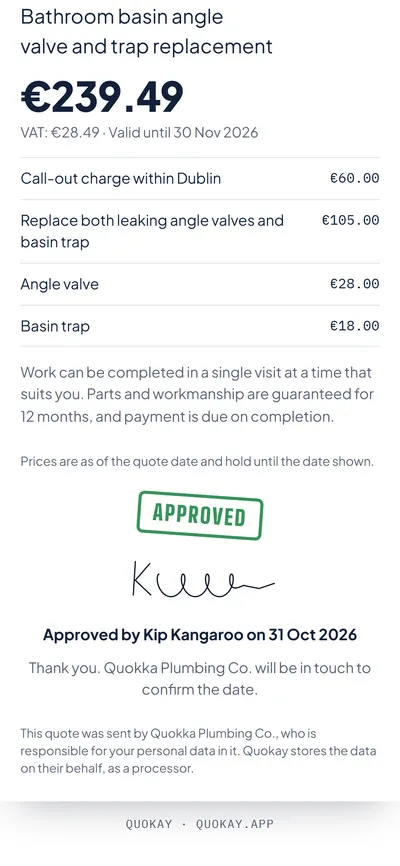
  5. A phone showing the approved quote with the green Approved stamp and the signature

    5Done

    You see the “Approved” stamp with name, signature and date. Off to the job.

Built for the job site

Look like a pro

An itemized quote with your own logo (Solo and up), signed on your client's phone. Not a scribbled note: a quote that looks like it came from a big firm.

Dictate it

Tap the microphone and say it. No typing with dusty hands.

Nothing left out

It thinks through the materials the way you'd pack the van: next to the paint, the filler, sandpaper and drop cloths too. Delete what you don't need with one tap.

You stay in charge

Tap any line, number or name to change it. Where the AI estimated a price, it's marked “estimated” for you to check. Your client never sees the mark, and it goes once you change the price.

Approve, or ask for changes

Your client signs with a finger, or writes what they'd change, or declines. You see the answer right away.

Your language, currency and tax

Write in your language and the quote comes back in it, with local currency and tax: dollars and sales tax in the US, pounds and VAT in the UK, forint and 27% VAT in Hungary.

What makes Quokay different

Word or Excel templateEveningsspent typing up quotes one by one after the job
Simple quote appsMinutesfilling in every line by hand
Field-service suitesMonthly feesper user, built for companies with an office team
QuokaySecondsfrom a few sentences to a quote your client can sign

Pricing

Free

$0

5 quotes to try it, client links and e-signatures, with a small “Made with Quokay” line

Pro

Coming soon

$39 + tax / month

Everything in Solo, plus deposits, a learned price list and follow-up reminders

Team

Coming soon

$79 + tax / month

Everything in Pro for up to 5 people: a shared price list and logo, and the team leader sees every quote

Prices exclude VAT or sales tax, which is added at checkout for your country. Payments run on Stripe; Link (link.com) is the seller and sends your invoice. Cancel any time. Unlimited means fair use: up to 400 quotes a month per person on Solo, 800 on Pro and 600 per member on Team.

Questions

I'm not a tech person. Will I manage?

If you can send a text or dictate a message on your phone, you can use Quokay. There's nothing to install, and the Help page walks you through every step.

How accurate are the quotes?

Prices you give are used exactly. On Solo, Quokay also uses your own price list. Where there's no price, it estimates a realistic local rate and marks it “estimated”, so you know what to check. Always look it over before you send: the quote is yours.

Does it make invoices?

No. Quokay makes quotes and gets them approved. Invoicing stays with your usual tool.

Do I need to install anything?

No. It runs in the browser, on your phone or computer. You can add it to your home screen like an app.

How does my client accept?

They open the link you send, without signing up, check the quote and sign it with a finger. You see the approval straight away.

Where is my data?

The database is in the EU (Ireland). Quote drafts are written by an AI service (Anthropic, USA). Details are in the privacy notice.

Can I cancel?

Any time. Your plan stays active until the end of the month you've paid for.

Can I take my data with me?

Yes. Under “My account” you can download all your quotes at any time, as a spreadsheet (CSV) and as a full backup (JSON), on every plan. Your data is yours.

Logwood

The Logwood family

Logwood builds AI tools that take routine work off small businesses. Quokay is the first one. More are on the way.

AI apps · Quokay

Quotes from a few sentences, signed on the client's phone.

See Quokay →

AI video

Short product and promo videos from your text and pictures.

Coming soon

AI workflows · OpFlow

Organize and automate the day-to-day running of a business.

Coming soon

AI music

Composition and arrangement help in the studio.

Get in touch for new tunes →

AI agents

AI helpers that handle repetitive tasks on their own.

Coming soon

Your next quote, done in seconds.

Request early access